Clients join with a link
Clients open the invitation link on a phone or computer to join the session. No software download is needed.
 Request a demo ↗
BUILT-IN TELEHEALTH
Start a video visit or schedule one ahead, directly in StringSoft. Clients join through a link on their phone or computer, with no software to download and no separate conferencing product required.
START FROM THE MEDICAL RECORD
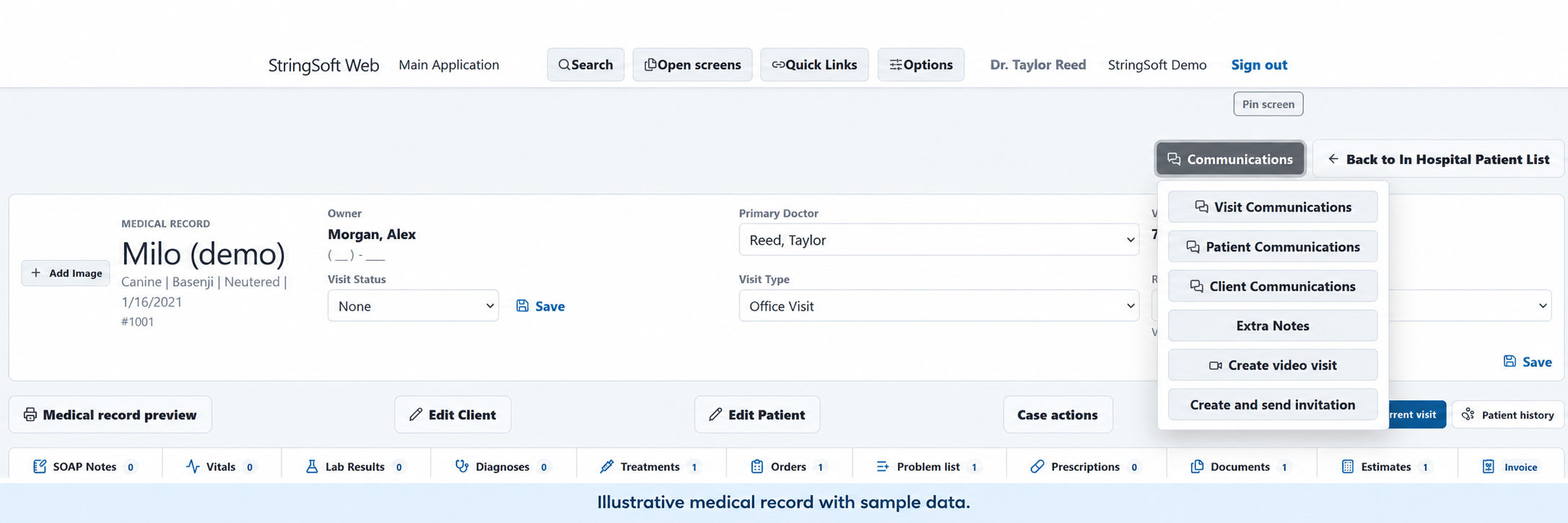
From the medical record, open Communications, then choose Create video visit or Create and send invitation.
Providers can initiate a session when needed or schedule it for later.THE PROVIDER WORKFLOW
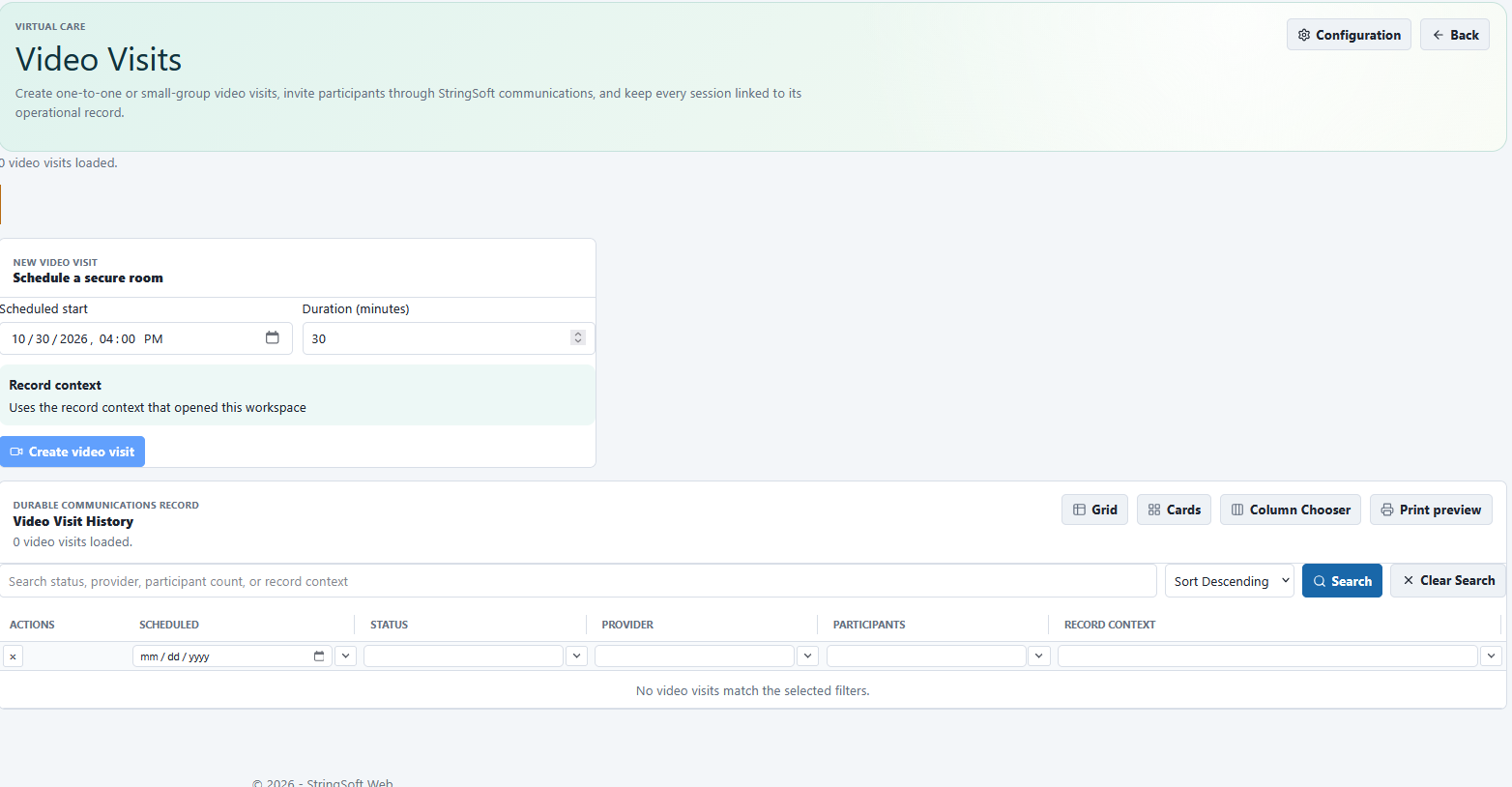
The Communications menu provides the video-visit and invitation actions. The Video Visits workspace includes a scheduled start, duration and visit history.
Choose Create video visit or Create and send invitation from the menu.
For a scheduled visit, use Scheduled start and Duration (minutes) in the Video Visits workspace. The screen also includes Create video visit and a Video Visit History area.
Clients open the invitation link on a phone or computer to join the session. No software download is needed.
No Zoom or separate conferencing product is required for the video visit.
Session recording and transcription are available to help capture the conversation.
EXPLORE YOUR VIDEO-VISIT WORKFLOW
Walk through starting or scheduling a video visit, inviting a client and the available recording and transcription options in a personalized StringSoft demo.